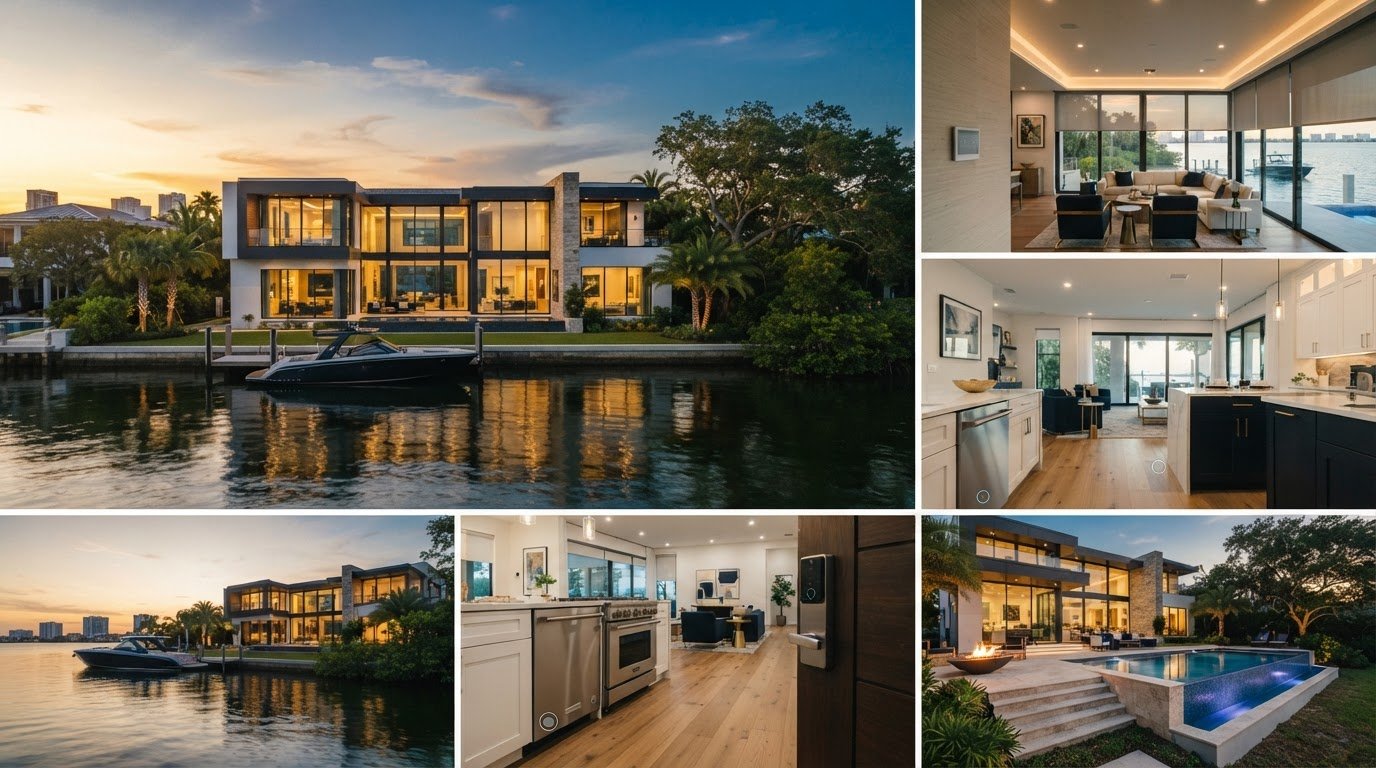
Smart Home Features Buyers Want in Palmetto in 2026
The smart home features buyers want in Palmetto 2026 should make everyday routines easier, support comfort or security, and work reliably. More gadgets do not necessarily make a home a better fit. It’s reasonable to question whether a thermostat, smart lock, camera, or automated shade is genuinely useful, especially if it comes with a subscription or depends on a system you don’t use.
This guide will help you match features to your household’s priorities and compare homes by usefulness, compatibility, and upkeep rather than gadget count. During a showing, you’ll learn what to test and what to ask about, including device condition, account ownership, transfer at closing, ongoing fees, and connections to other systems. We’ll also cover practical features that can support comfort, energy management, and preparedness, so you can assess what’s already installed and what may need attention. A local buyer representative can help clarify property-specific details before you make a decision.
Key Takeaways
- Use the smart home features buyers want in Palmetto 2026 as a starting point, then narrow your list to the routines and priorities that matter in your household.
- Compare thermostats, smart locks, lighting, leak sensors, and connected appliances by their everyday value and what they depend on.
- Follow a simple showing checklist to test controls and clarify which devices are included, excluded, leased, or linked to seller accounts.
- Separate features that genuinely fit your needs from upgrades you could choose later, keeping your priorities clear as you compare homes.
What Smart Home Features Buyers Want in Palmetto 2026?
Smart home features are connected devices that automate, monitor, or control household functions. For buyers, useful categories include comfort, entry security, lighting, leak detection, and energy management. The home automation system overview explains how these tools can connect areas such as heating and cooling, lighting, and security. The features that matter most should fit real routines, not just add another device to manage.
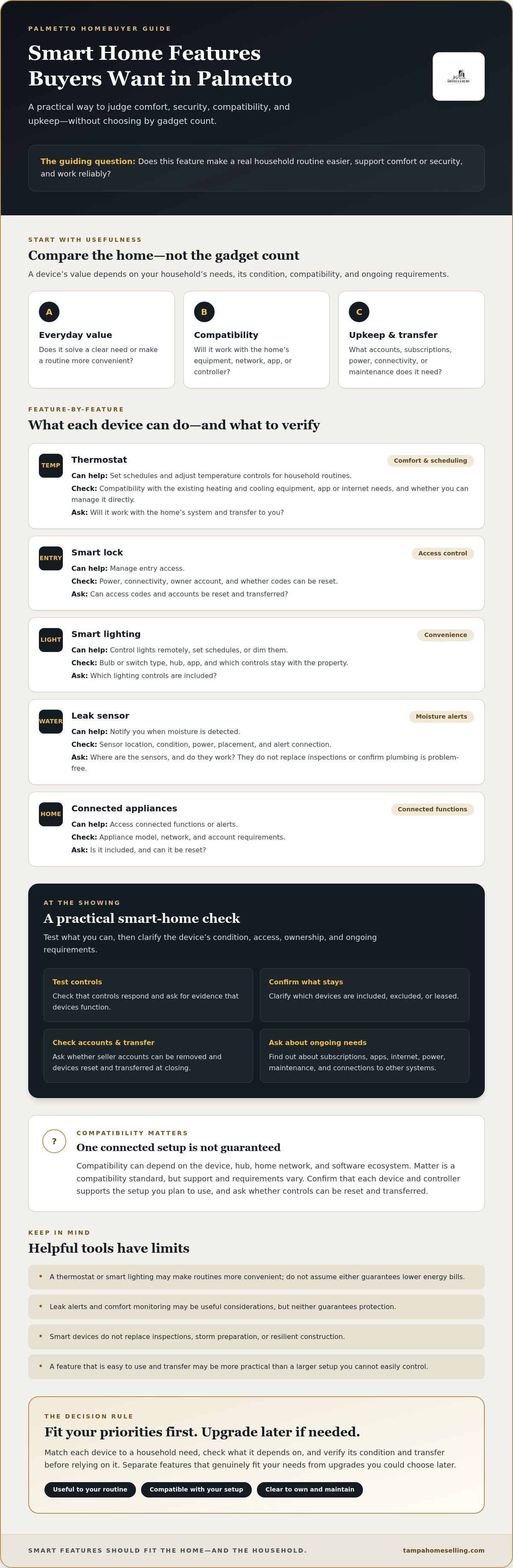
Value depends on your household’s needs and the equipment’s condition, compatibility, and ongoing requirements. Check whether devices need a particular app, internet connection, subscription, or seller account. A feature that’s easy to use and transfer may be more practical than a larger setup you can’t easily control. For example, a thermostat with straightforward scheduling may be more useful to your household than several devices that require separate apps.
For a broader look at common smart home features, watch this video:
Which smart home features support everyday comfort?
A programmable or connected thermostat lets household members set schedules and adjust temperature controls, which can make daily routines more convenient. Ask whether it works with the home’s existing heating and cooling equipment and whether you can manage it directly. Smart lighting can offer remote control, schedules, or dimming, but it’s a convenience, not a must-have upgrade. Don’t assume either feature guarantees lower energy bills.
Which features help buyers monitor a home?
Smart locks control access, video doorbells show activity at an entry, and security sensors can alert you to events such as a door opening. Leak sensors can notify you when moisture is detected, but they don’t replace inspections or confirm that plumbing is problem-free. Ask how devices connect, who can access recordings or alerts, and whether the seller can remove their accounts. Useful smart features solve a clear household need. Verify their condition, evidence of function, and any requirements before relying on them.
How Palmetto Buyers Can Compare Smart Home Features by Real-World Use
Compare each device by the job it does, what it relies on, and whether you’ll be able to use it after closing. Built-in controls may stay with the home, while removable devices and seller-linked accounts may not. Ask what’s included and confirm that any included equipment can be reset and transferred.
| Feature | Everyday benefit | Dependency to check | Question to ask |
|---|---|---|---|
| Thermostat | Schedule or adjust comfort settings | Compatible HVAC equipment, app, or internet | Will it work with the home’s system and transfer? |
| Smart lock | Manage entry access | Power, connectivity, and owner account | Can access codes and accounts be reset? |
| Smart lighting | Control lights or set schedules | Bulb or switch type, hub, and app | Which controls stay with the property? |
| Leak sensor | Alert you to detected moisture | Power, placement, and alert connection | Where are sensors installed, and do they work? |
| Connected appliance | Access connected functions or alerts | Appliance model, network, and account | Is it included, and can it be reset? |
Comparison rule: Match each device to a household need, then check its dependencies. CNET’s guide to top smart home devices can help you understand device categories, but a product recommendation doesn’t confirm that a specific home’s equipment is compatible or included.
Do smart devices work together across different platforms?
Compatibility can depend on the device, hub, home network, and software ecosystem. Matter is a compatibility standard, but support and requirements vary, so confirm that each device and controller supports the setup you plan to use. Ask whether controls can be reset and transferred to you.
Which features may suit a Gulf Coast home?
Comfort monitoring and leak alerts may be useful considerations, but neither guarantees protection. Check sensor placement, condition, connectivity, power, and maintenance needs. Smart devices don’t replace inspections, storm preparation, or resilient construction. For a sense of the local market, browse Manatee County homes and compare features alongside each property’s overall condition. These considerations apply across Gulf Coast communities, including Palmetto, Bradenton, Sarasota, and nearby areas.
What to Test and Ask About Smart Home Features During a Palmetto Showing
A quick showing check can reveal whether installed technology is ready to use or may require new accounts, equipment, or setup. Work through this sequence:
- Identify: Note each device and whether it appears built in or removable.
- Test: Ask the seller or representative to demonstrate its basic controls.
- Confirm: Check what internet connection, app, hub, or subscription it needs.
- Clarify: Ask what’s included, excluded, leased, or linked to seller accounts.
- Document: Record answers and unresolved questions for follow-up.
Testing during a tour is not a substitute for a professional home inspection or written disclosures. Treat a working display as a useful observation, not proof of the home’s overall condition or code compliance.
How can buyers check device access and transfer?
Ask whether each included device can be factory-reset and registered to a new owner, and whether the seller will remove personal access. Confirm if continued use depends on a paid subscription, separate hub, app, or equipment that isn’t included. Document the agreed list of devices and any unanswered transfer questions in the purchase process. Consumer Reports offers guidance on valuable and reliable smart features, but verify the condition and terms of the specific equipment in the property.
What should buyers verify for a Palmetto property?
Internet options and signal coverage can vary by address. Check availability with providers for the specific property, and ask whether the devices connect where they’re installed. For Manatee County searches, browse single-family homes in Manatee County. Ask appropriate professionals to verify property-specific requirements. Connected devices alone don’t establish compliance.
For help exploring a Palmetto home search, review the VIP Buyer Program. The program includes access to off-market listings, a one-year home warranty, and a Love It or Leave It satisfaction guarantee. Confirm current program terms.
Choosing a Palmetto Home: Make Smart Features Fit Your Priorities
Before comparing smart home features buyers want in Palmetto 2026, rank what matters most to your household: comfort, access, monitoring, energy management, privacy, or simplicity. A connected thermostat may be useful if you value scheduled climate controls. If managing accounts and apps feels like a chore, a simpler home may suit you better.
How do buyers decide whether a feature is worth keeping?
Weigh a device’s everyday usefulness against the setup, maintenance, subscription, and replacement it may require. Make sure household members can operate the controls and manage access confidently. Separate functioning features included with the property from removable devices, seller accounts, or upgrades you might choose later. That distinction helps you avoid treating a seller’s technology setup as something you’ll automatically inherit.
Ask for evidence before relying on claims about energy savings, security guarantees, or resale premiums. Smart features don’t establish a home’s market value on their own. Consider the whole property, its condition, and relevant local comparable sales. A buyer representative can help you raise property-specific questions, while qualified professionals can assess technical or inspection concerns.
Where can Palmetto buyers explore homes and get guidance?
As you compare options, browse single-family homes in Manatee County and evaluate each property beyond its device count. Note which existing features fit your priorities, what needs verification, and what you could add after purchase. This keeps your decision grounded in the home and your routines, not promotional claims.
If you’d like support exploring property options and asking the right questions, learn about the VIP Buyer Program. Confirm current details as you consider your next step.
Choose the Home That Works for You
The smart home features buyers want in Palmetto 2026 are the ones that fit real household priorities, not the ones that simply add more technology. Focus on practical benefits, check whether devices work with your preferred setup, and confirm what transfers to you. A thermostat or leak sensor may be useful, but weigh its condition and ongoing requirements alongside the rest of the property.
Keep your evaluation grounded: test what you can during a showing, document unanswered questions, and don’t treat smart devices as a substitute for an inspection or evidence of resale value. Features are one part of a larger decision that should also account for the home’s condition and relevant comparable sales.
For local buyer representation in Palmetto and across Florida’s Gulf Coast, explore the VIP Buyer Program. It provides access to off-market listings, a one-year home warranty, and a Love It or Leave It satisfaction guarantee. Confirm current terms, then connect with DeFeo Luxury Properties to explore homes and get support with your buyer questions.
Frequently Asked Questions
Which smart home features do buyers value most in 2026?
Buyers often focus on features with clear everyday uses, such as connected thermostats, smart locks, lighting controls, leak sensors, and security devices. The smart home features buyers want in Palmetto 2026 will depend on household routines, privacy preferences, and willingness to manage apps or subscriptions. Compare what each device does, what it requires, and whether it can transfer to you before treating it as an advantage.
Are smart home features worth it when buying a house in Palmetto?
They can be worthwhile if they solve a need for your household and are in working condition. A thermostat with useful scheduling or a leak sensor in a relevant location may add convenience, but consider setup, connectivity, maintenance, and ongoing requirements. Don’t let a long device list distract from the home’s condition, inspection findings, or whether the technology is compatible with your preferences.
Can smart home devices work without an internet connection?
Some devices may still offer basic local controls without internet, while remote access, cloud-based alerts, or app features may depend on a working connection. The exact behavior varies by device and system. Ask the seller to demonstrate functions through the usual controls and any app, then confirm the manufacturer’s requirements. Check internet options for the specific property rather than assuming service is available.
What should I check before buying a home with smart devices?
Identify which devices are included, excluded, leased, or tied to seller accounts. Ask whether each can be reset and registered to a new owner, and whether it needs a subscription, hub, app, or separate equipment. Test basic controls, check connectivity, and record unanswered questions. Buyers comparing homes in Tampa, St. Petersburg, Sarasota, Lakewood Ranch, Bradenton, Parrish, Palmetto, Gulfport, or St. Pete Beach can ask a local buyer representative about property-specific follow-up.
Do smart home features increase a home's resale value?
There’s no guarantee that smart devices will increase a home’s resale value. Their usefulness, condition, compatibility, and transferability may matter to an individual buyer, but avoid relying on an assumed premium. Assess the whole property and review relevant local comparable sales with your real estate representative. Treat claims about savings, security, or future resale benefits as claims to verify, not established value.